Android speaker got wet
Water Eject for Android
A 165 Hz pulse with matching vibration, straight from your browser. Check the three steps, press Start, and let the speaker push droplets out of its grille.
- Volume 75%+: Set media volume to about 75% or higher, at a level that does not distort.
- Speaker down: Remove the case and point the grille at a cloth.
- Repeat 2–3×: Dab the grille between runs; repeat up to 3 times.
Sound + vibration · vibration works on Android
Turn device volume to max, place the speaker facing down, and remove any case. Stop immediately if you hear rattling or distortion.
Next step: 60-second 165 Hz pulse to push water out.
Open Water Eject →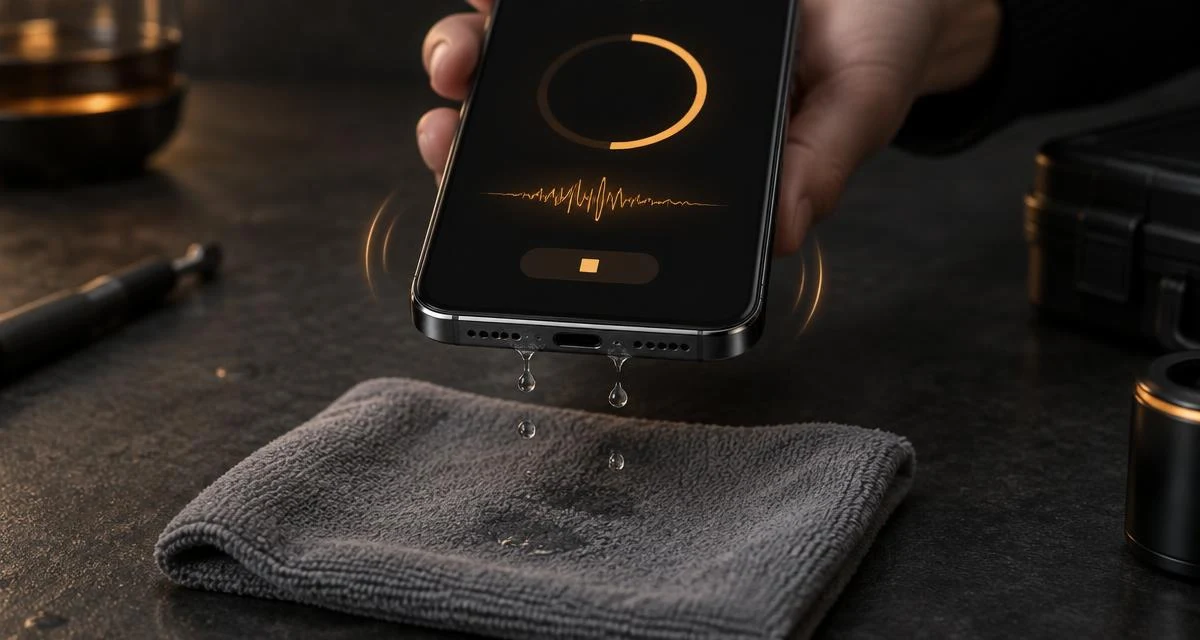
Quick answer
Wipe the phone dry and take off the case. Set media volume to about 75% or higher, at a level that doesn't distort. Hold the phone with the bottom speaker facing down over a cloth, keep Sound Boost and Vibration on, and press Start. When the run ends, dab the grille and repeat up to three times. Sound only helps with water sitting in the speaker mesh; it can't dry the inside of the phone or the charging port.
Why Android gets sound and vibration
Water clings to the tiny holes of a speaker mesh because of surface tension. The pulsing tone moves the speaker cone back and forth, pushing air through the mesh. On Android, the browser can also run the vibration motor, so the page adds short buzzes in rhythm with the pulse. It's a small extra nudge, not a guaranteed fix. If the buzzing bothers you, switch Vibration off. The tone still runs on its own.
Android details that change how you run it
- Find the right grille. The bottom-edge slots are usually the loudspeaker; a single tiny hole nearby is often a microphone.
- Stereo phones have two speakers. Many Samsung Galaxy and Pixel models also play through the earpiece. For lint or water there, use the Ear Speaker Cleaner.
- Media volume, not ringtone. Press a volume key while the page is open, so you change media volume.
- Bluetooth first. Disconnect earbuds or a car kit, or the tone plays there instead.
- Battery saver and Do Not Disturb can mute vibration on some phones. Sound still works.
- "Moisture detected" warning is about the USB-C port. Don't charge until it clears.
When not to use it
Skip the tone if the phone was underwater for a long time, won't turn on normally, or got salt water, sugary drinks or pool water inside. Those need drying time and possibly a repair check. Don't use rice, a hair dryer or compressed air. Heat can weaken seals and air can push water deeper. Check your phone maker's own advice for liquid exposure too.
Check it worked
Play a familiar song at medium volume. Clear sound means you're done. Still muffled or crackly? Try the Speaker Test, read why a phone speaker sounds muffled, or answer two questions in the speaker diagnostic. On an iPhone, use Water Eject for iPhone instead. If your Galaxy also refuses to charge, follow our guide on how to clear the Samsung moisture detected warning.
Related tools & guides
- ToolWater Eject →60-second 165 Hz pulse to push water out.
- GuideXiaomi Clear Speaker Guide →Find Clear speaker or run a 30-second clean.
- GuideSamsung Moisture Detected →Galaxy USB-C water-drop alert: dry it, clear a stuck one.
- GuideLiquid Detected in Port →Lightning/USB-C moisture alert: safe drying steps.
- ToolSpeaker Test →Left/right, rattle, bass and treble checks.
- GuideMuffled Speaker Guide →Water, dust or damage, how to tell.
- GuideSteam and Shower Guide →Muffled after a steamy bathroom: dry air, low tone, no heat.
- ToolFix My Speaker Diagnostic →Two questions, the safest first fix.
Frequently asked questions
+Does this work on Samsung, Pixel and other Android phones?
It runs in any modern Android browser such as Chrome, Samsung Internet or Firefox. It plays through the media speaker, so it suits water sitting in the speaker grille on any brand. Results vary by phone and how much water is there.
+Why does my phone vibrate while the sound plays?
Android browsers let web pages use the vibration motor, so this page adds short vibration bursts in rhythm with the pulse. The idea is that a little extra movement may help droplets let go of the mesh. You can turn Vibration off with the button under Start. iPhone browsers don't allow this, which is why it's Android-only.
+My Samsung still says "Moisture detected", did it fail?
No, that warning is about the USB-C charging port, not the speaker. Sound can't dry the port. Unplug the cable, gently shake the phone port-down, and let it air-dry before charging.
+Which speaker does the water come out of?
Most Android phones have a loudspeaker grille on the bottom edge and, on stereo models, the earpiece at the top doubles as a second speaker. Hold the bottom edge down first; for the earpiece, try the Ear Speaker Cleaner.
+Can the sound damage my speaker?
At a comfortable media volume a short 165 Hz tone is within what phone speakers normally play. Avoid maximum volume if the sound distorts, keep runs short and repeat at most three times. Keep the phone away from your ears.
+Still muffled after three runs. What now?
Stop running the tone and let the phone air-dry for several hours in a ventilated spot. If it stays muffled after a day, run the Speaker Test or the two-question diagnostic; persistent distortion can mean damage that needs a repair check.