Free · In-browser · No recording
Speaker Cleaner
Play a low-frequency tone that vibrates your speaker to help push out water and dust. Choose steady tone, pulse or sweep.
- Volume 75%+: Set media volume to about 75% or higher, at a level that does not distort.
- Speaker down: Remove the case and point the grille at a cloth.
- Repeat 2–3×: Dab the grille between runs; repeat up to 3 times.
Sound + vibration · vibration works on Android
Turn device volume to max, place the speaker facing down, and remove any case. Stop immediately if you hear rattling or distortion.
Next step: 60-second 165 Hz pulse to push water out.
Open Water Eject →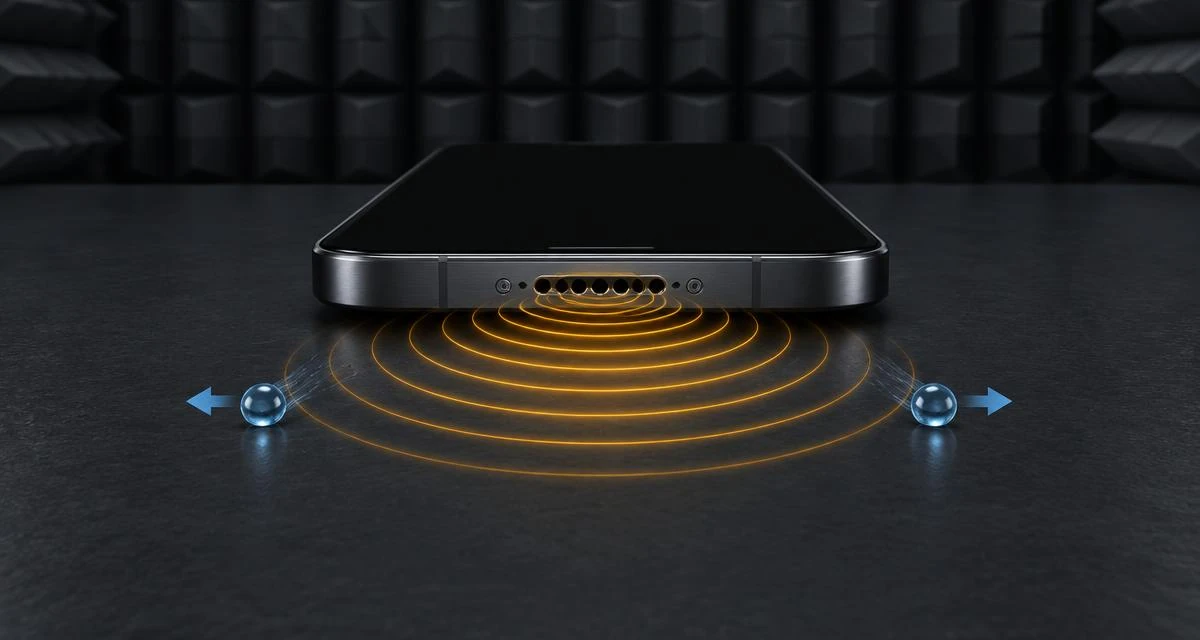
How to clean your phone speaker
- Remove the case and wipe the outside of the grille.
- Turn device volume to maximum.
- Place the phone with the speaker facing down.
- Press Start and run for 60 seconds. Repeat 2–3 times.
- Let the device air-dry. Don't use heat or rice.
Which mode should I choose?
| Mode | What it does | Best for |
|---|---|---|
| Tone | Steady 165 Hz sine | General first try |
| Pulse | 165 Hz on/off bursts | Shaking droplets loose |
| Sweep | Glides 100–300 Hz | Unknown speaker designs |
How speaker cleaning methods compare
For water in a phone, Apple's advice is simple: gentle airflow and time, not heat, rice or tools in the openings. Sound can help clear loose droplets from the speaker grille, but it does not replace drying. Here is how the common methods stack up.
| Method | Verdict | Why |
|---|---|---|
| 165 Hz tone (this tool) | Safe first step | Moves the speaker cone to shake loose droplets and light dust out of the grille. Works on surface water only. |
| Air-drying, speaker down | Recommended | Apple suggests tapping out liquid and leaving the phone in a dry area with some airflow. See the charging port drying steps. |
| Bag of rice | Avoid | Apple advises against it because small rice particles can get into the phone and damage it. |
| Hair dryer or other heat | Avoid | Apple says not to dry a phone with an external heat source. |
| Compressed air | Avoid | Apple lists compressed air among the things not to use on a wet phone. |
| Cotton swabs, pins or toothpicks | Avoid | Apple warns against putting foreign objects in the openings. They can damage the mesh and leave fibers behind. |
| Repair service | When it persists | If sound is still distorted after a full day of drying, or the phone met salt water or a sugary drink, get it checked. See why a speaker crackles. |
Water resistance is not waterproofing, and it wears down over time. Learn what your phone's rating really covers in is my phone waterproof. Source: Apple Support, liquid-detection alert on iPhone.
Routines, Sound Boost and Vibration
Routine presets
Pick Water eject (165 Hz, 145 Hz, then a sweep), Dust removal (200 Hz, then a sweep) or Deep clean (all of them). The ring around Start shows progress, and the live waveform draws the actual sound being played.
Sound Boost
Adds harmonics and a limiter so small speakers move more air without harsh distortion.
Vibration
Adds haptic pulses on Android browsers; iPhone Safari does not allow web vibration. Your settings are remembered only in this browser.
What this tool cannot do
Sound helps with loose water and dust only
It will not fix a blown speaker, corrosion, a software audio issue or packed lint. If sound is still bad, run the speaker test to check each channel, or try the water eject routine right after liquid exposure.
Results depend on your hardware
Read our testing methodology for the devices this was tested on and the limits of browser-based audio.
How sound displacement clears a speaker
Air displacement at 165 Hz
A speaker makes sound by moving a thin cone back and forth. At low frequencies such as 165 Hz the cone travels further on each cycle to move the same amount of air, pushing and pulling hard on the air pocket behind the grille. Droplets in the mesh are shaken by that changing pressure, and gravity carries them out when the speaker faces down. Higher pitches move the cone much less, which is why cleaning tones sit in the low range.
Why the sweep exists
Every speaker has its own resonant frequency, where it vibrates most for the least energy. Gliding from 100 to 300 Hz passes through the resonance of most small phone and laptop speakers, so at some point during the sweep the movement peaks even if you don't know your exact hardware.
Troubleshooting
- No sound at all: check the silent switch or Focus mode, unplug headphones, disconnect Bluetooth and tap Start again, browsers only allow audio after a tap.
- Sound is very quiet: raise media volume (not ringer volume) and close other apps that may be playing audio.
- Still muffled after three runs: let the device dry for a few hours, then retry once. Persistent muffling usually means packed lint or damage rather than water.
- Rattling or buzzing: stop immediately and lower the volume. A loud buzz can mean a loose part, and continuing can make it worse.
- Only one speaker sounds weak: use the speaker test to confirm which side is affected.
Specific problem? Start here
- iPhone got wet: follow the step-by-step guide to getting water out of an iPhone speaker, where the speakers are, what not to do, and when to stop.
- Calls sound muffled or quiet: the top earpiece is a separate speaker. Use the ear speaker cleaner to run a voice-range sweep and clean the earpiece mesh safely.
- Samsung says "Moisture detected": that's the charging port, not the speaker. See how to clear the Samsung moisture warning.
- Apple Watch got wet: use its built-in Water Lock. See how to eject water from an Apple Watch.
- Water Eject Shortcut not working: see why the Siri Water Eject Shortcut goes silent and how to fix it, or play the tone with nothing to install.
Device-specific tips
- iPhone: the main speaker is the bottom grille; the earpiece at the top is a second speaker. Face the bottom edge down.
- Android phones: speaker placement varies. Check which grille plays sound with your finger lightly over it, then face that one down.
- Laptops: speakers are often under the palm rest or along the bottom. Tilt the laptop so the grilles point downward, never upside-down while open on a hinge stress point.
- Earbuds and headphones: this tool is not designed for in-ear devices. Clean them with a dry soft brush and follow the manufacturer's guidance.
Safety boundaries
Keep sessions to 30–120 seconds and take breaks between runs. Do not hold the phone against your ear while it plays. Never use heat, a hair dryer, compressed air or sharp objects in the grille, and do not run the tool on a device that has a cracked screen, swollen battery or visible corrosion. Get it inspected instead. If water entered the charging port, wait until any liquid-detection warning clears before charging.
Related tools & guides
- ToolWater Eject →60-second 165 Hz pulse to push water out.
- GuideMuffled Speaker Guide →Water, dust or damage, how to tell.
- GuideQuiet Speaker Guide →Settings, blockage or hardware limits.
- ToolTone Generator →Any frequency from 20 Hz to 20 kHz.
- ToolSpeaker Test →Left/right, rattle, bass and treble checks.
- ToolFix My Speaker Diagnostic →Two questions, the safest first fix.
Frequently asked questions
+Does a speaker cleaner sound actually work?
Low-frequency tones make the speaker cone move further than normal audio, which can push loose water droplets and light dust out of the speaker grille. It cannot remove packed debris, sticky residue or repair hardware damage.
+Why 165 Hz?
165 Hz is a low tone most phone speakers can still reproduce with large cone movement. It is a widely used convention, not a magic number. The sweep mode moves between 100 and 300 Hz to cover more speaker designs.
+Is it safe for my speaker?
At normal maximum phone volume, short sessions of 30–120 seconds are generally safe. Stop if you hear rattling, buzzing or distortion, and never use it on a device with visible physical damage.
+Do you record my audio?
No. The tool only generates sound using the Web Audio API in your browser. It never asks for the microphone and nothing is uploaded.
+How many times should I run it?
Run it 2–3 times with the speaker facing down, then let the device air-dry. If sound is still muffled after a few hours, the issue is likely not water.