Diagnostic guide · Phone speaker
How to fix a phone speaker: find the cause first
Short answer
Most phone speaker problems come from one of three things: a setting or audio routing issue, a blocked grille (lint or water), or a damaged speaker. Check volume, Silent mode and Bluetooth first, then play a speaker test. Clean the grille only with a soft dry brush. If it still distorts at every volume, get it repaired.
Want to try the fix right now?
Open Speaker Test →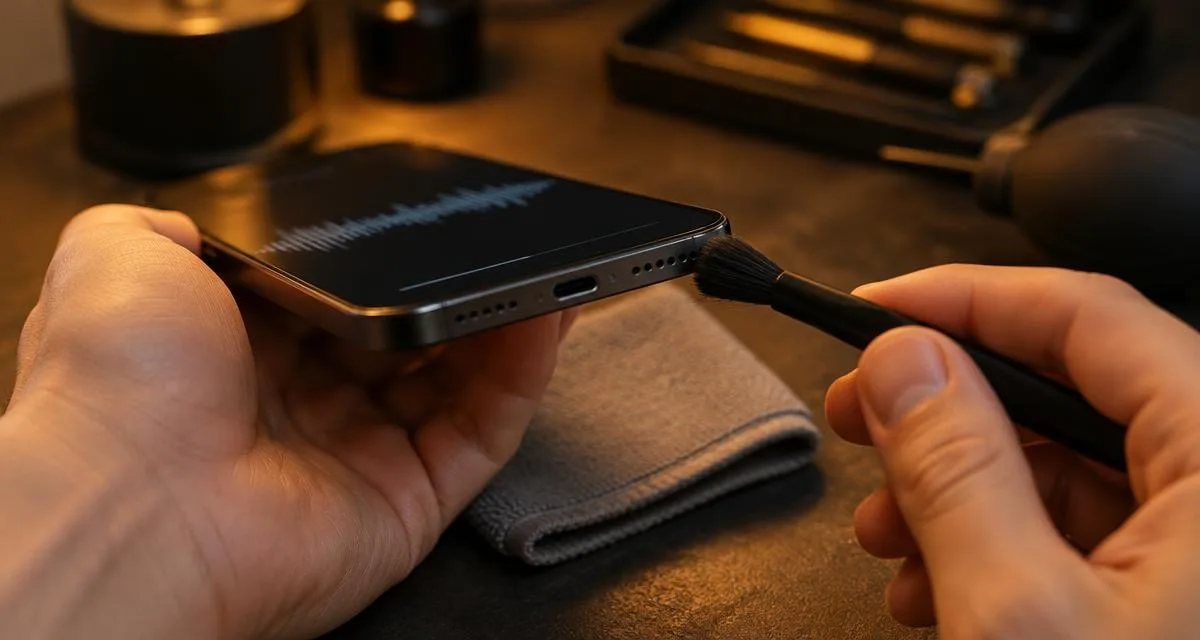
Quick diagnostic: what are you hearing?
| Symptom | Likely cause | Start here |
|---|---|---|
| No sound at all | Silent mode, volume, audio sent to Bluetooth, or a frozen app | Step 1 below |
| Muffled or underwater sound | Water or lint on the grille | Water eject |
| Quiet overall | Volume limits, blocked grille or worn speaker | Quiet speaker guide |
| Crackling or buzzing | Debris near the speaker or a damaged speaker | Crackling guide |
| Calls quiet, music fine | Clogged top earpiece | Ear speaker cleaner |
Not sure? The two-question speaker diagnostic points you to the safest first fix.
Step 1: Rule out settings and audio routing
- Turn the volume up while media is playing, and turn off Silent mode or Do Not Disturb.
- Turn Bluetooth off for a moment. Sound often goes to earbuds or a car you forgot were connected.
- Check the left/right balance slider in accessibility settings is centered.
- Restart the phone to clear a frozen app or stuck audio output.
Step 2: Run a speaker test
Use the free speaker test to play left, right, bass and treble sounds. Clean but quiet sound points to a blockage. Rattling or distortion at moderate volume points to debris or damage. For a single frequency, use the tone generator. For earbuds, use the headphone test.
Step 3: Clean the speaker grille safely
- Power off the phone and remove the case.
- Brush across the grille with a soft, dry, clean brush, holding the phone speaker-down so loose lint falls out.
- Wipe the outside with a soft, lint-free cloth.
- Test again.
| Avoid | Why |
|---|---|
| Pins, needles, toothpicks | Apple advises against foreign objects in openings; they can tear the mesh. |
| Compressed air | Apple lists it as something not to use; it can push debris further in. |
| Liquids poured into the grille | Extra liquid can soak further into the grille and the phone. |
Step 4: If the phone got wet
Unplug it, tap it gently speaker-down, then play the low water eject tone at a volume that still sounds clean and let it air-dry. No heat or rice. See the charging port guide and steam guide for specific cases.
Step 5: Signs it needs repair
- Distortion or buzzing at every volume, even after cleaning and drying.
- No sound after you have ruled out settings, Bluetooth and a restart.
- Problems that started after a drop or that persist a full day after water exposure.
In these cases, contact the manufacturer or an authorized repair service.
Related tools & guides
- ToolSpeaker Test →Left/right, rattle, bass and treble checks.
- ToolFix My Speaker Diagnostic →Two questions, the safest first fix.
- GuideQuiet Speaker Guide →Settings, blockage or hardware limits.
- GuideCrackling Speaker Guide →Buzzing, rattling and distortion causes.
- ToolEar Speaker Cleaner →Clear lint and moisture from the call speaker.
- ToolWater Eject →60-second 165 Hz pulse to push water out.
Standards & references
- If you see a liquid-detection alert on your iPhone
Apple Support
Dry with airflow; no external heat, compressed air, foreign objects or rice.
- Galaxy phones and tablets dust and water resistance (IP rating)
Samsung US Support
Water resistance is not permanent and may diminish over time.
Frequently asked questions
+How do I know if my phone speaker is broken or just blocked?
Play a test sound through the speaker. If it is quiet or dull but clean, the grille is likely blocked by lint or water. If it buzzes or distorts at every volume, or stays silent after you rule out settings and Bluetooth, the speaker itself may be faulty.
+Can I clean phone speaker holes with a pin or needle?
No. Apple advises against putting foreign objects into openings, and a pin can puncture the fine mesh and push debris deeper. Use a soft, dry, clean brush instead.
+Should I use compressed air on my phone speaker?
No. Apple lists compressed air among the things not to use when drying an iPhone, and a strong blast can push debris or moisture further in.
+Why does my phone speaker work for music but not for calls?
Most phones use a separate small earpiece at the top for calls. If calls are quiet but music is fine, that earpiece grille is often clogged. See our ear speaker cleaner.
+Can a restart fix a phone speaker with no sound?
Sometimes. If audio is stuck on a Bluetooth device or an app has frozen the audio output, restarting the phone clears that state. It cannot fix a blocked grille or damaged hardware.