Device guide · iPhone
How to get water out of an iPhone speaker
Short answer
Dry the outside, take off the case, hold the iPhone speaker-down and play a low 165 Hz pulse for 60 seconds: you can do it with the button below. Repeat two or three times, then let it air-dry. Don't use rice, compressed air or heat. If it still sounds muffled after 24 hours, it's no longer loose water.
Want to try the fix right now?
Open iPhone Water Eject →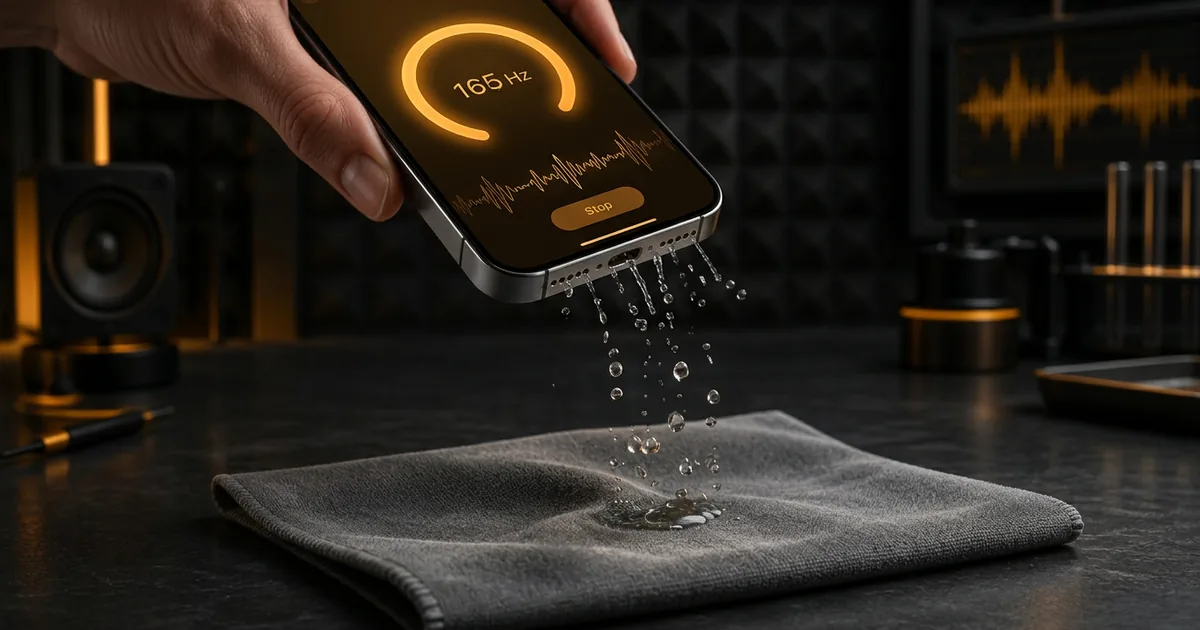
Play the 165 Hz water pulse now
Remove the case, hold the iPhone speaker-down over a cloth, turn the volume up as far as it stays clean (no rattle or distortion), then press play. It runs for 60 seconds.
Keep it away from your ears. Stop if the phone rattles or the sound distorts. Ring/Silent switch on? This page still plays through the speaker on iOS 17+.
The 5-minute rescue, step by step
- Get it out and wipe it. Dry the outside with a lint-free cloth. Take the case off. Cases trap water against the grille.
- Tap gently, speaker-down. Hold the phone with the bottom edge pointing down and tap it lightly against your palm a few times.
- Play the pulse. Keep it pointed down at roughly 45° over a cloth and run the 165 Hz pulse above for 60 seconds.
- Repeat two or three times with a short rest. Wipe away any drops that appear on the grille.
- Air-dry. Leave it in a dry spot with some airflow (not in a sealed bag) for a few hours.
- Check both speakers. Run the speaker test at low volume and compare Left and Right.
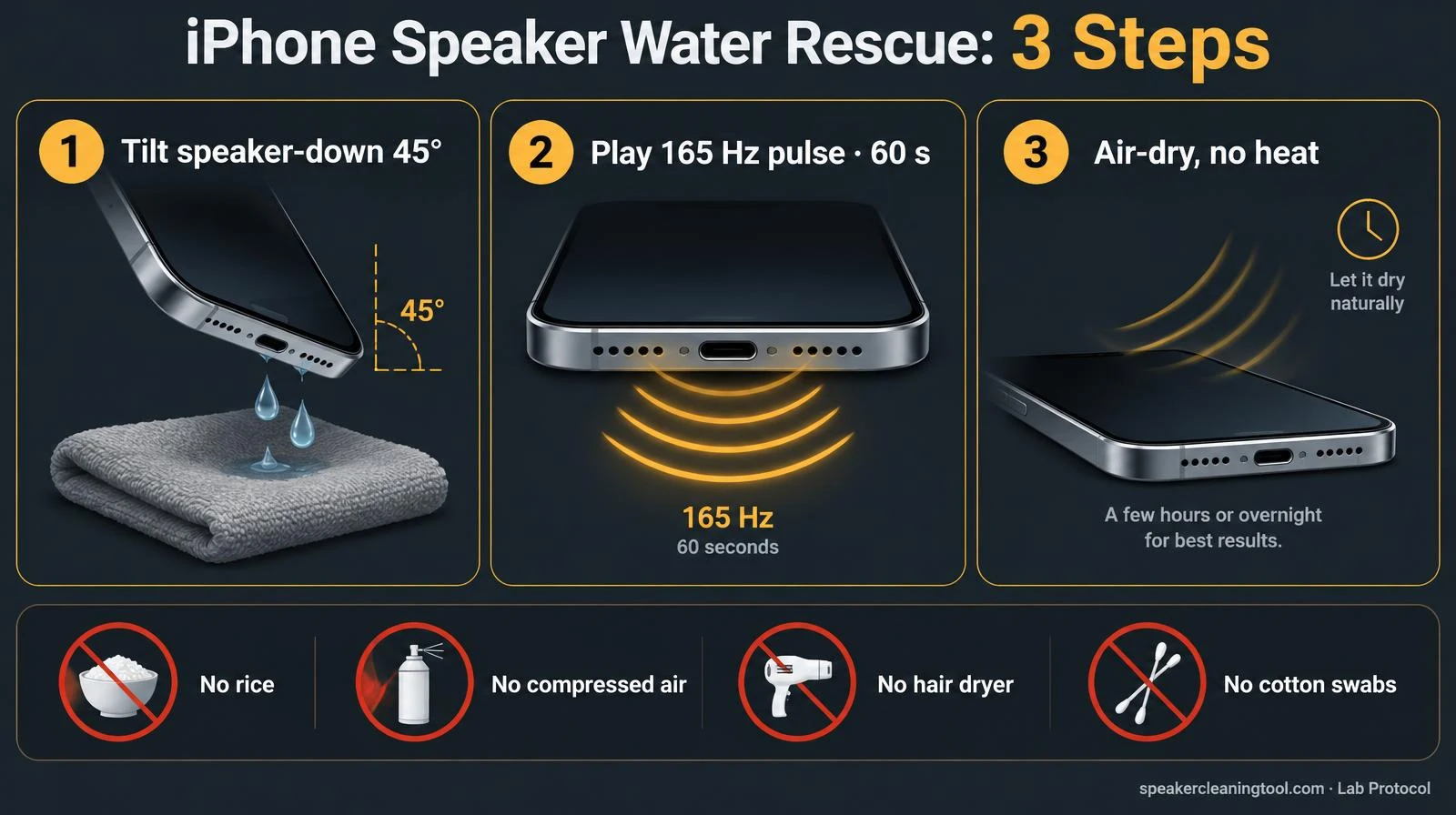
- 1
Tilt speaker-down 45°
Case off, bottom grille over a lint-free cloth.
- 2
Play 165 Hz · 60 s
Volume ~75%. Repeat 2–3 times with short rests.
- 3
Air-dry, no heat
A few hours in a dry spot with some airflow.
Avoid
- Rice
- Compressed air
- Hair dryer
- Cotton swabs or pins
Still muffled after 24 hours? It's no longer loose water. Check for residue or damage before playing more tones.
speakercleaningtool.com · Lab protocol
Where the speakers actually are on an iPhone
Many people panic because one bottom grille stays silent after getting wet. On most iPhone models that's how it was built:
| Opening | What it is | Does the pulse help? |
|---|---|---|
| One bottom grille | Main loudspeaker | Yes. This is the main target |
| Other bottom grille | Microphones (no speaker) | No sound comes out; let it air-dry |
| Top earpiece slot | Earpiece / second stereo speaker | Partly, point the top edge down and repeat; for lint use the ear speaker cleaner |
| Charging port | Lightning or USB-C connector | No. Only time dries it |
To tell which bottom grille is yours, play the speaker test and put a fingertip lightly near each one: the speaker grille vibrates.
Mistakes that make it worse
- Rice. Apple says small particles of rice can damage the phone. It also doesn't dry faster than open air.
- Compressed air. It can push water further in, past the seals, instead of out.
- Hair dryers and heaters. Heat is hard on the battery and the adhesive seals.
- Cotton swabs, pins or toothpicks. The mesh is thin; poking it can tear it or pack water and lint deeper.
- Charging while the port is wet. Wait for the liquid-detection alert to clear.
Water eject sound for iPhone: shortcut or this page?
Both play the same kind of low tone; this page just skips the setup. iPhone has no built-in water eject button, so people use a Siri Shortcut or a web tone. If you want one tap from the Home Screen, follow the water eject shortcut guide. For the full tool with sweep modes, open the iPhone water eject page.
Speaker water vs "Liquid Detected" alert
They are two separate problems. A muffled speaker means water is sitting on the speaker mesh. Sound can help with that. A liquid-detection alert means the charging port is wet. Sound does nothing there. Unplug, tap the phone port-down, and let it dry before charging, as in Apple's guidance below.
Pool, sea or drink? What changes
IP ratings are tested with fresh water in a lab. Salt water, chlorine, coffee or soda leave residue as they dry, which can keep the speaker muffled or crackly after the water itself is gone. Apple's cleaning advice for those liquids is to rinse the outside briefly with tap water, then dry it. If it still sounds wrong after drying, read the muffled speaker guide or the crackling guide.
iPhone vs Apple Watch Water Lock
Apple Watch has Water Lock built in: when you turn it off, the watch plays a tone to clear its speaker. iPhone has no such setting, which is why browser tools and shortcuts exist. Our water eject tool runs the same 165 Hz pulse with extra options; nothing is installed and nothing is recorded. If the Siri Shortcut plays nothing on your phone, read our Water Eject Shortcut troubleshooting and alternatives.
When to stop and get it checked
A tone only moves loose water on the outside of the mesh. Contact Apple or an authorised repair provider if the speaker is still muffled after 24 hours of drying, it crackles or rattles, the screen shows fog or spots, or the phone gets warm. Not sure what you're hearing? The speaker diagnostic asks two questions and points you to the right check. Our consumer hardware testing methodology explains what these tools can and can't measure.
Related tools & guides
- TooliPhone Water Eject →165 Hz pulse set up for iPhone speakers.
- GuideIP67 vs IP68 Guide →What your phone's water rating really covers.
- GuideLiquid Detected in Port →Lightning/USB-C moisture alert: safe drying steps.
- ToolWater Eject →60-second 165 Hz pulse to push water out.
- GuideMuffled Speaker Guide →Water, dust or damage, how to tell.
- ToolSpeaker Test →Left/right, rattle, bass and treble checks.
- ToolFix My Speaker Diagnostic →Two questions, the safest first fix.
Standards & references
- If you see a liquid-detection alert on your iPhone
Apple Support
Apple's guidance for a wet port, including its advice not to put iPhone in rice.
- About splash, water, and dust resistance of iPhone 7 and later
Apple Support
Water resistance is not permanent, and liquid in the speaker can reduce sound until it evaporates.
- Cleaning your iPhone
Apple Support
Soft, lint-free cloth; no compressed air or objects in the openings.
- IEC 60529: Degrees of protection provided by enclosures (IP Code)
International Electrotechnical Commission
The standard behind IP67/IP68 ratings, which are tested in lab conditions with fresh water.
Frequently asked questions
+Does iPhone have a built-in water eject feature like Apple Watch?
No. Apple Watch has Water Lock, which plays a sound to push water out of its speaker. iPhone has no equivalent setting. Water usually evaporates by itself; a low tone such as the 165 Hz pulse on this page can help shake loose droplets off the outside of the speaker mesh.
+How long does it take for an iPhone speaker to dry?
Loose droplets can clear within a few minutes of a sound pulse. Moisture left in the mesh can take several hours to evaporate. If the sound is still muffled after 24 hours of air-drying, it is more than loose water.
+Should I put my wet iPhone in rice?
No. Apple advises against it: small particles of rice can get into the phone and damage it. Leave the phone in a dry place with some airflow instead.
+Why is only one bottom grille playing sound?
That is normal. On most iPhone models only one bottom grille is the loudspeaker; the other covers microphones. The second speaker for stereo is the earpiece at the top of the screen.
+Can I charge my iPhone if it got wet?
Not while the port is wet. If iPhone shows a liquid-detection alert, unplug the cable and let the port dry before charging. A speaker tone does not dry the charging port.
+My speaker still crackles after the water is gone. Why?
Crackling after drying can mean residue from salty or sugary liquid, or damage to the speaker. Run the speaker test at low volume and read our crackling guide; if it continues, contact Apple or an authorised repair provider.
+Is there a water eject shortcut for iPhone?
Apple doesn't ship one, but you can build a Shortcut that opens a water eject tone page, or simply play the 165 Hz pulse on this page. Our water eject shortcut guide shows the setup step by step.
+Is playing a water eject sound safe for my iPhone speaker?
Use short runs and the highest volume that still sounds clean. Distortion or rattling means the speaker is being pushed past its comfortable range, so turn it down or stop. Don't loop the tone for long periods, and keep the phone away from your ears.
+Why is my iPhone speaker muffled after a shower or rain?
Steam and raindrops can leave a thin film of water on the speaker mesh. Wipe the phone, hold it speaker-down and run the pulse once or twice; most of the time it clears within minutes.
+Does the water eject sound work on the earpiece speaker?
Partly. The top earpiece is smaller and quieter, so point the top edge down while the tone plays. For dust or lint in that slot, use the ear speaker cleaner instead.