Call speaker · earpiece
Ear Speaker Cleaner
Muffled or quiet calls? Run a short sound routine through the top speaker, then clean the earpiece mesh safely by hand.
Hold the phone with the top edge pointing down, case off. Start at medium volume and raise it gradually. Keep the phone away from your ear while a tone plays.
Next step: Left/right, rattle, bass and treble checks.
Open Speaker Test →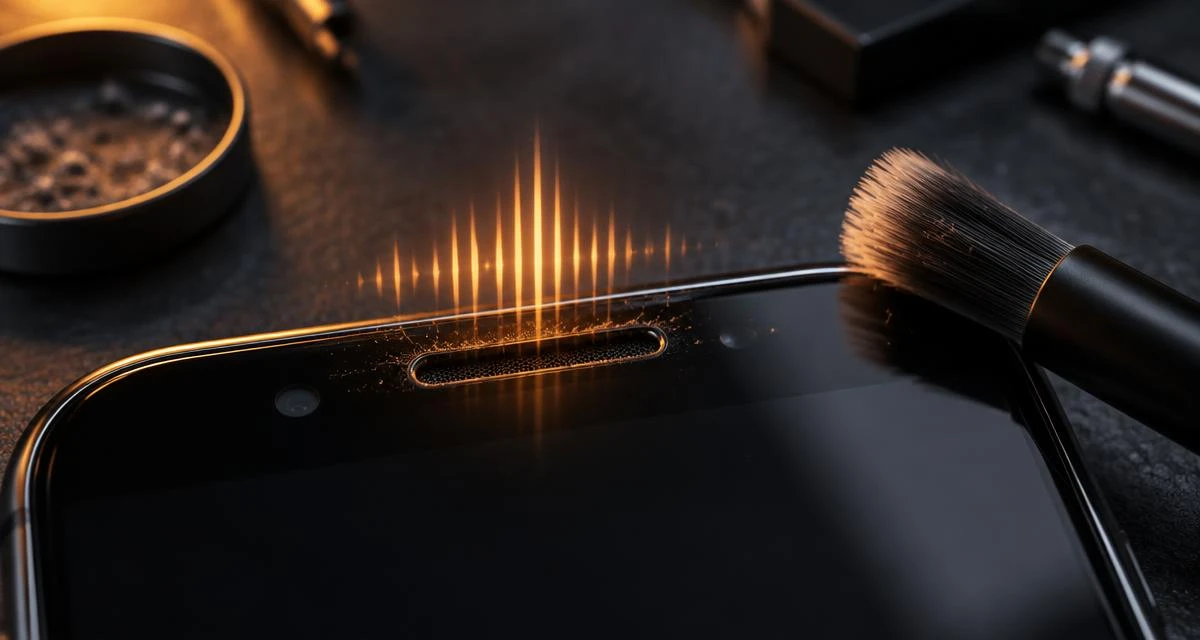
Short answer
Most quiet or muffled call speakers are blocked by lint, pocket dust and skin oil packed into the earpiece mesh. Sound can loosen light debris or a droplet, but a dry soft brush does most of the work. Use the tone first, brush second, then test with a real call.
Fix my call speaker: why call audio is muffled while music is loud
Most phones have two speakers. Music, videos and speakerphone come mainly from the bottom loudspeaker, while a normal phone call plays only through the small call speaker (earpiece) in the slot at the top of the screen. So if music sounds fine but callers sound faint or muffled, the bottom speaker is not the problem. The top slot is usually blocked by pocket dust, lint or skin oil, or the call volume is simply low.
Quick check: put the call on speakerphone. If the caller sounds clear on speaker but muffled at your ear, the earpiece slot or its settings are the cause, and the steps on this page apply.
How the dust sweep reaches the call speaker
Phone calls carry voice sound roughly between 300 Hz and 3,400 Hz, so a call speaker is built to work well in that range. The dust and lint sweep above glides from 300 Hz to 3 kHz, keeping the earpiece active through its normal working range. The small vibrations can shake loose light, dry dust on the mesh. They will not move lint held in place by oil, which is why brushing comes next. The sweep only reaches the earpiece on phones that use it as a second media speaker (see the finger test below).
Call volume settings on Android
- During a call, press volume up. Call volume is a separate level from media volume.
- Samsung: open Settings › Accessibility › Hearing enhancements and check that Left/right sound balance is centred. Other Android phones usually keep a similar balance option under Accessibility › Audio.
- Turn Bluetooth off for a test call, so a car or earbuds cannot take the audio.
- Restart the phone and call a second number to rule out a weak line.
Menu names vary by brand and Android version.
Call volume settings on iPhone
- During a call, press the volume up button on the side.
- On models that offer it, try Phone Noise Cancellation on and off: Settings › Accessibility › Audio & Visual.
- In the same menu, check that the Balance slider sits in the middle.
- Turn Bluetooth off for a test call, then restart and try again.
What a browser can and cannot do
A web page cannot switch your phone into call mode, so it cannot drive the earpiece the way a phone call does. It plays sound through the media output. On phones with stereo speakers the top earpiece is the second media speaker, so it plays this tone. On phones with one bottom speaker it does not, and the manual steps below are the fix. To check, play audio and cover the top slot with a finger: if the sound changes, the tool reaches it.
Earpiece vs bottom speaker: why they need different care
Top · call earpiece
Thin slot against your face
- Clogs with: skin oil, makeup, pocket lint
- Mesh: very fine, often glued, easy to tear
- Clean by: dry soft brush at a shallow angle, sweeping outward; putty dab for leftovers
- Tone: voice-range sweep, top edge facing down
Bottom · loudspeaker
Larger grille near the port
- Clogs with: water, pocket dust, sand
- Mesh: coarser holes, usually beside a microphone grille
- Clean by: 165 Hz pulse speaker-down, then air-dry
- Tool: Water Eject or Speaker Cleaner
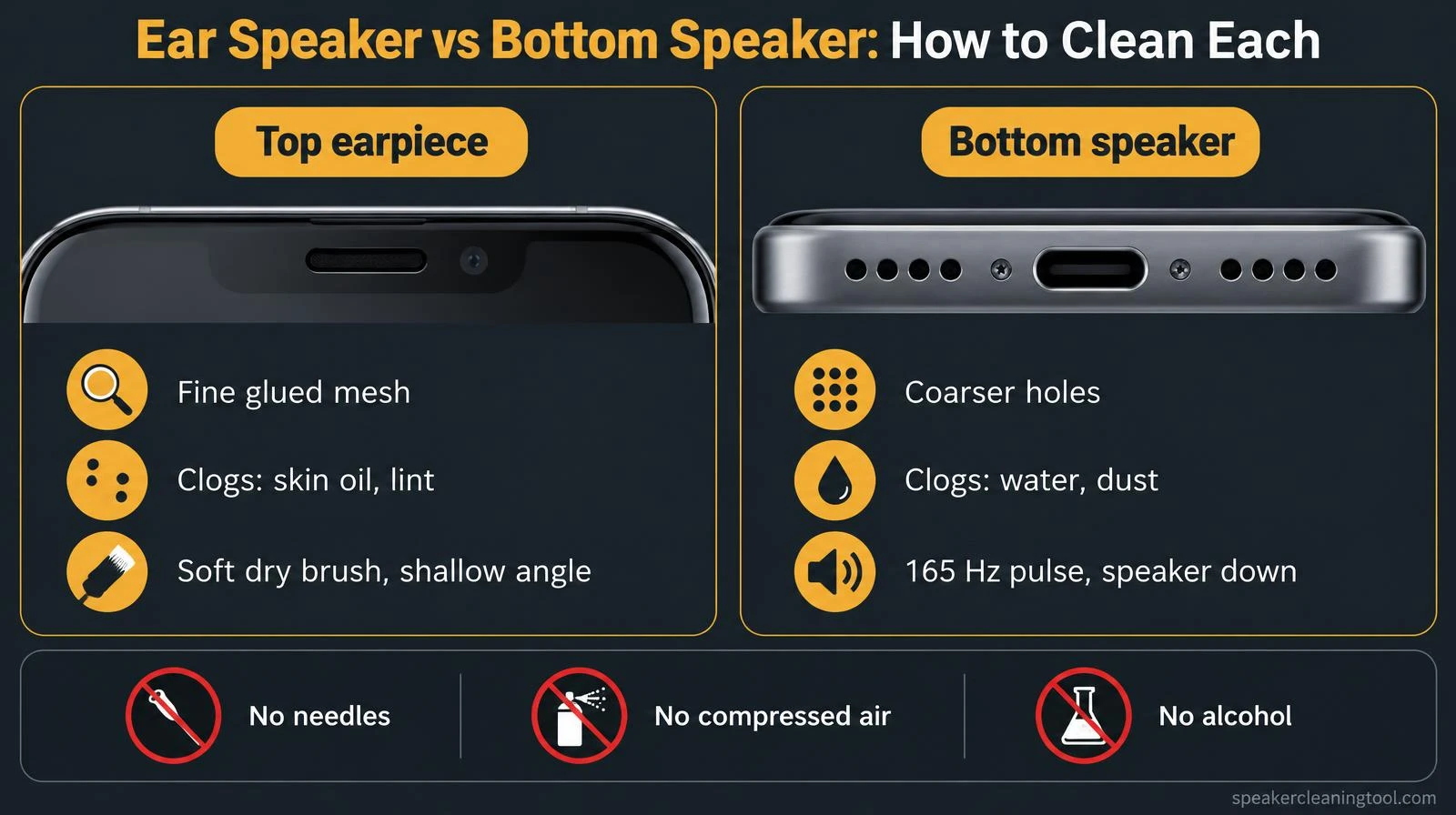
Oil is the main difference. Water and loose dust move with sound, but oil glues lint into the earpiece mesh, so the brush step matters more here than on the bottom speaker. If your iPhone got wet, the iPhone water guide covers both openings.
Which routine to use
- Dust & lint sweep (300 Hz–3 kHz): moves through the voice range that phone calls use, so the earpiece is actually active across it. Good for pocket lint and dust.
- Moisture pulse (165 Hz bursts): on-off bursts like our Water Eject tool, for a splash or rain on the top edge.
These are practical starting points, not a calibrated or proven-optimal frequency. Small earpieces vary by model.
Safe 3-step cleaning routine
- Sound: run the matching routine once or twice with the top edge facing down.
- Brush: power off, remove any case, then sweep a clean, dry, soft-bristled brush (a new soft toothbrush works) across the slot at a shallow angle, outward. Repeat a few light passes.
- Lift: if lint remains, press a small piece of soft adhesive putty onto the mesh and lift straight off. Do not press hard or leave residue behind.
Avoid needles, toothpicks, compressed air, alcohol and liquid cleaners. They can tear the mesh or push debris and moisture inside. Also check that a screen protector or case lip is not covering the earpiece slot.
Check the settings before blaming hardware
- Raise volume during a call. Call volume is separate from media volume.
- Disconnect Bluetooth headsets and car audio that may be taking the call.
- iPhone: turn off Phone Noise Cancellation or try with and without it (Settings › Accessibility › Audio & Visual).
- Restart the phone and test again with a different caller.
When it is damage, not dirt
If the earpiece is silent, crackles at every volume, or stays muffled after careful cleaning, the receiver or its flex cable may be faulty, especially after a drop or liquid exposure. Use the speaker diagnostic to sort symptoms, the speaker test to check each side, or read why a phone speaker gets quiet. For repair, contact the manufacturer or an authorized service provider.
Related tools & guides
Frequently asked questions
+Can a website play sound through the call earpiece?
Not in call mode. Browsers play through the media output. On many phones with stereo speakers (most iPhones since iPhone 7 and many Androids) the top earpiece also works as the second media speaker, so it does play the tone. On phones with a single bottom speaker, the tone will not reach the earpiece and the brushing steps matter most.
+How do I know if my phone uses the earpiece as a speaker?
Play any audio at medium volume and cover the top slot with a finger. If the sound changes or gets quieter, your earpiece is part of media playback and this tool can reach it.
+Why is my call speaker quiet but music sounds fine?
Music usually plays mainly from the bottom speaker, while calls use only the small top earpiece. Lint and skin oil in the earpiece mesh, a screen protector or case covering the slot, or call volume set low are the most common reasons.
+Can sound clean dust out of a call speaker?
Partly. A voice-range tone makes the earpiece vibrate, which can shake loose light, dry dust sitting on the mesh, but only on phones where the earpiece also plays media. It cannot remove lint glued in by skin oil. For that, a dry soft brush and a putty dab do most of the work.
+Why is my call speaker so quiet during phone calls?
The usual causes are call volume set low (it is separate from media volume, so raise it during a call), lint and oil in the earpiece mesh, a screen protector or case covering the slot, or a Bluetooth device taking the audio. Check settings first, then clean the slot.
+Is it safe to use a needle or toothpick on the earpiece?
No. The earpiece mesh is thin and often glued; sharp tools can tear it or push debris inward. Use a dry, soft brush instead and stop if the mesh looks damaged.
+Should I use compressed air or alcohol?
Avoid compressed air: it can push debris or moisture deeper. Apple and other makers advise against putting liquids or cleaners into openings. A dry soft brush and gentle sticky putty dabbing are safer.
+When is it a hardware problem?
If the earpiece stays silent or distorted after cleaning, both in calls and on speakerphone tests, or crackles at every volume, the receiver or its connector may be damaged. Contact the manufacturer or an authorized repair shop.