Symptom guide · Muffled sound
Why is my phone speaker muffled?
Short answer
A muffled phone speaker is usually caused by water, dust or a case blocking the grille, less often by a software setting or damage. Remove the case, restart, then run the water eject tool speaker-down if the phone got wet, or gently brush the grille if it is dusty.
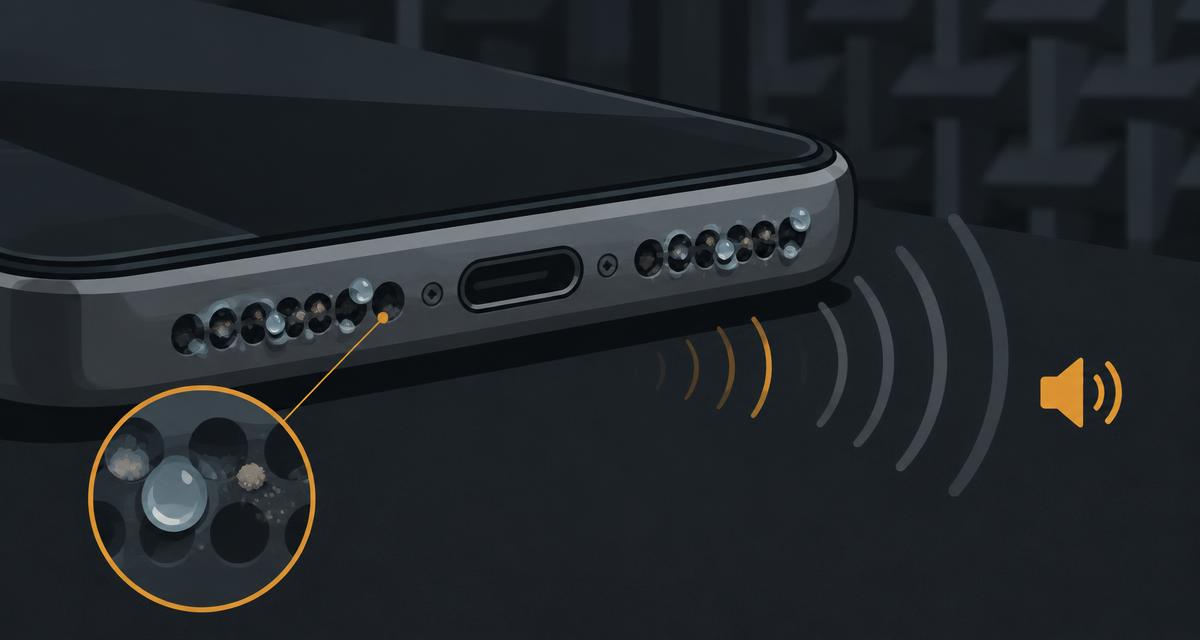
Find your cause in 60 seconds
| What you notice | Likely cause | What to do |
|---|---|---|
| Muffled right after rain, a spill or a shower | Water in the grille | Water eject pulse mode, then air-dry |
| Gradually worse over weeks | Dust or lint in the mesh | Soft dry brush, then the speaker cleaner sweep |
| Started after a new case | Case covering the speaker | Test without the case |
| Muffled only in calls or one app | Software or Bluetooth | Disconnect Bluetooth, restart, update |
| Muffled plus rattle after a drop | Physical damage | Stop playing loud audio; seek repair |
Step-by-step fix
- Remove the case and screen protector edges that may overlap the bottom grille.
- Turn Bluetooth off so audio is not routed to earbuds or a car.
- Restart the phone to clear audio-processing glitches.
- If it got wet: wipe it dry, hold it speaker-down and run the water eject pulse for 60 seconds, two or three times.
- If it's dusty: brush the grille with a clean, soft, dry toothbrush at an angle, then run the speaker cleaner sweep.
- Confirm the result with the speaker test: play Left, Right and the sweep and compare with how it sounded before.
What not to do
- Don't put the phone in rice — particles can get into ports. Air-drying is safer.
- Don't use compressed air, hair dryers or sharp objects like pins; they can push debris deeper or tear the mesh.
- Don't charge the phone while the port is wet.
iPhone vs Android notes
iPhones have the main speaker in the bottom grille and a second one in the earpiece; check both by playing audio in landscape. Many Android phones also use the earpiece as a second speaker, and some have separate top and bottom speakers — run the water routine once with each edge facing down.
When sound can't fix it
Sound vibration only helps with loose water and light dust. Sugary drinks, salt water, packed lint or a damaged cone won't respond. If the speaker is still muffled after 24 hours of drying and a gentle clean, contact the manufacturer or a repair shop. Our testing methodology explains what these browser tools can and can't measure.
Hearing crackling rather than muffling? Read why is my speaker crackling.
Frequently asked questions
+Why does my phone speaker suddenly sound muffled?
The most common causes are water or moisture in the grille, dust or lint packed into the mesh, a case covering the speaker, or a software or Bluetooth setting. Physical damage is less common but possible after a drop.
+How do I fix a muffled phone speaker?
Remove the case, restart the phone, and check Bluetooth is off. If the phone got wet, run a pulse water-eject routine speaker-down and let it air-dry. For dust, gently brush the grille with a soft, dry toothbrush.
+Can sound really push water out of a speaker?
Low-frequency tones move the speaker cone further than normal audio, which can help loose droplets leave the grille. It does not work on packed debris, residue or damaged parts.
+When should I take it to a repair shop?
If the sound is still muffled after drying for 24 hours and cleaning the grille, or if you hear rattling, the speaker may be damaged and needs a professional.